84% of Electrician Websites Have No Online Booking — Here's How to Add It in 1 Day
84% of electrician sites lack online booking. Sites with it score 55 vs 39 — a 16-point gap. Five tools compared, plus a same-day setup checklist.
A homeowner in Dallas needs a panel upgrade. It’s 8 PM on a Wednesday. She finds your site, reads the services list, decides you’re the one — and then looks for a way to book. There’s no scheduling button. No calendar. No “pick a time” widget. Just a phone number. She’s not calling a stranger at 8 PM for a non-emergency. She hits back and books with the next electrician on the list. You’ll never know she existed.
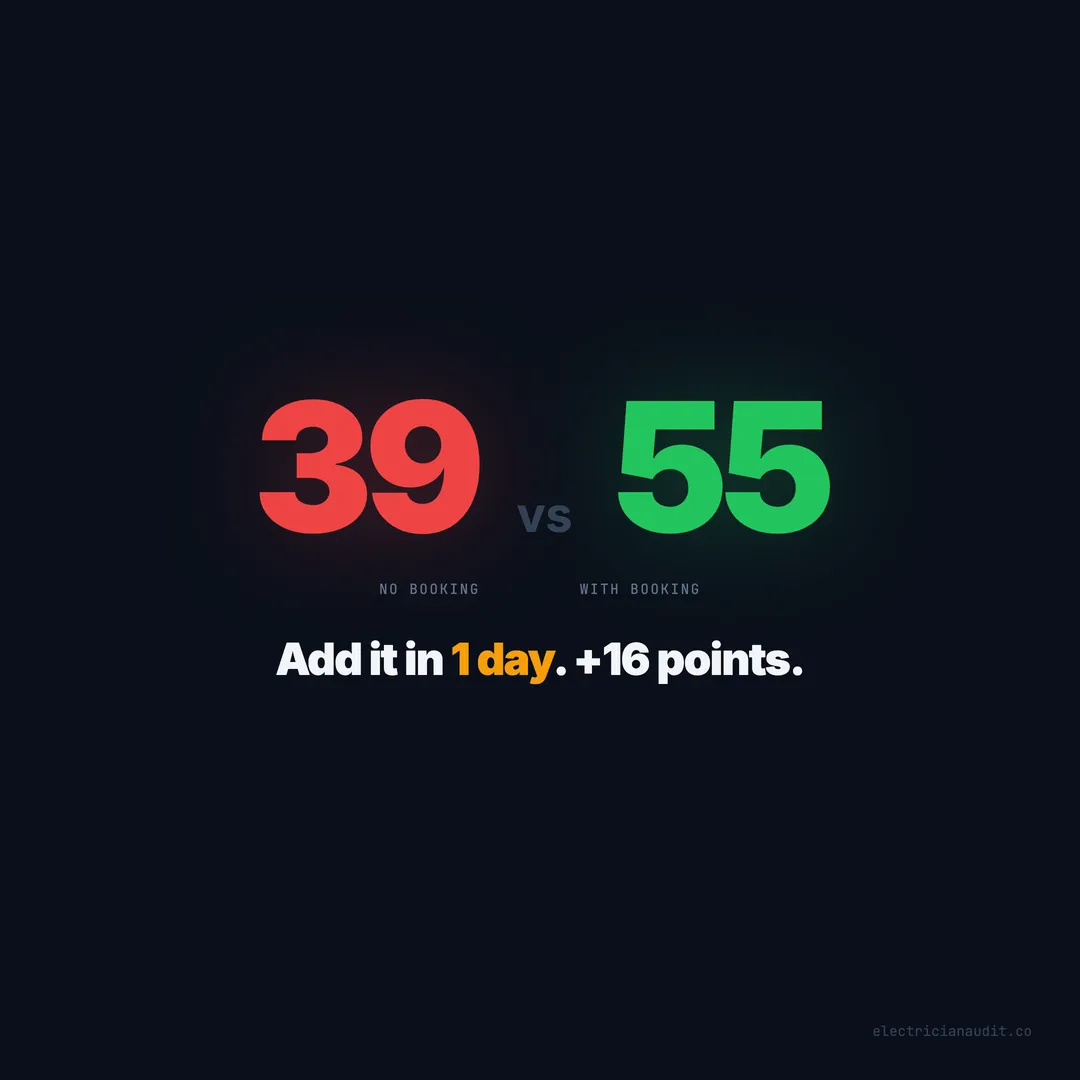
When we audited over 1,200 electrician websites across 9 states and 51 cities, 84% had no online booking system at all. Not a broken one. Not a hidden one. No booking, period. Sites that do have booking score 55/100 on average. Sites without score 39/100. That’s a 16-point gap from a single feature (Electrician Audit, 2026).
The gap isn’t about technology. Most electricians already pay for software that includes a booking widget — they just haven’t embedded it. This post breaks down what actually matters when adding online booking, which tools fit which situations, and how to get it live before tomorrow morning.
TL;DR: 84% of electrician websites have no online booking, creating a 16-point quality gap (55 vs 39) in our audit of 1,200+ sites. Five tools — ServiceTitan, Housecall Pro, Jobber, Calendly, and Square Appointments — can get booking live in under a day, most for free or under $50/month (Electrician Audit, 2026).
[INTERNAL-LINK: “audited over 1,200 electrician websites” -> pillar post with full audit methodology and findings]
84% of electrician sites can’t take an appointment online
Out of 1,200+ electrician websites audited across 51 cities and 9 states, 84% have no online booking widget — the single most common missing conversion feature in our entire dataset (Electrician Audit, 2026). That’s not a niche problem. That’s the industry default.
Think about what you book online without calling anyone. Doctor visits. Restaurant tables. Haircuts. Oil changes. Even plumber visits. The expectation shifted years ago. But 84% of electricians still require a phone call to schedule something as routine as a ceiling fan install.
The issue compounds with two other gaps we’ve measured. 53% of electrician sites have no contact form at all. 64% can’t capture a single lead after hours. A booking widget fixes all three problems at once — it’s a form, it’s a scheduling tool, and it works at midnight.
[ORIGINAL DATA] We checked for embedded booking widgets, scheduling links, and calendar integrations on every site in our dataset of 1,259 deep-audited electrician websites. The 84% figure isn’t sampled. It’s the actual count across Texas, Florida, Arizona, Georgia, North Carolina, Tennessee, Louisiana, South Carolina, and New Mexico.
Who suffers most from the gap? Electricians who already have traffic. If you’re getting visitors but no calls, the booking gap is likely your biggest leak. The traffic is arriving. Your site just can’t catch it.
Citation capsule: In an audit of 1,200+ electrician websites across 9 states, 84% had no online booking system of any kind, making it the most common missing conversion feature and a direct contributor to the 16-point score gap between sites with booking and sites without (Electrician Audit, 2026).
Sites with online booking score 16 points higher
Electrician websites with an online booking widget score 55/100 on average. Sites without score 39/100 — a 16-point gap that ties with after-hours capture as the second-largest feature gap we measured (Electrician Audit, 2026). Only click-to-call (+20 points) has a wider spread.
Here’s how the booking gap compares to every other feature gap in our dataset:
| Feature | With | Without | Gap |
|---|---|---|---|
| Click-to-call | 52 | 32 | +20 |
| Service area pages | 59 | 41 | +18 |
| Online booking | 55 | 39 | +16 |
| After-hours capture | 57 | 41 | +16 |
| License displayed | 54 | 41 | +13 |
| Reviews on site | 56 | 43 | +13 |
| SSL + form + CTA | 55 | 43 | +12 |
But here’s what the table doesn’t show: booking is the only feature that simultaneously closes the after-hours gap, the form gap, and the conversion gap. A booking widget is a contact form that also schedules. It captures leads at 2 AM without you doing anything. That triple-duty function is why it punches above its weight.
[UNIQUE INSIGHT] We’ve noticed a pattern in the data that surprised us. Sites with booking almost always have click-to-call too. They stack. The 16-point booking gap and the 20-point click-to-call gap aren’t additive — but electricians who add one tend to add the other. The real score jump comes from combining booking + click-to-call + after-hours form, which pushes sites from the low 30s into the mid-50s.
Sites scoring above 60 in our audit virtually always have online booking. We couldn’t find a single site above 65 that lacked both booking and a contact form. At the top of the range, booking isn’t a bonus. It’s table stakes.
Citation capsule: Electrician websites with online booking score 55/100 versus 39/100 without — a 16-point gap that represents the second-largest feature differentiator in an audit of 1,259 sites, behind only click-to-call at +20 points (Electrician Audit, 2026).
[INTERNAL-LINK: “click-to-call gap” -> /blog/electrician-phone-not-clickable-20-point-gap/]
What a booking widget actually needs to do
Not all booking widgets are equal. Some electricians embed a full calendar with 30-minute time slots. Others drop in a contact form and call it “booking.” Neither extreme works well. The highest-scoring sites in our dataset follow a simpler pattern.
Collect four things — nothing more
The booking form should capture:
- Name — first name is enough
- Phone number — this is how you’ll follow up
- Service needed — dropdown with your top services (panel upgrade, outlet repair, EV charger, etc.)
- Preferred date/time — a calendar picker or even just “morning / afternoon / evening”
That’s it. Don’t ask for their address yet. Don’t require photos of their breaker panel. Don’t make them write a paragraph. You’ll get the details on the confirmation call. The goal is to capture intent before they leave your site.
Work 24 hours a day without you
The whole point of a booking widget is that it doesn’t sleep. If someone submits a request at 11 PM, it should auto-confirm, send them an email or text, and alert you. This is what separates booking from a basic contact form — the visitor gets instant feedback. “Got it. We’ll confirm your appointment by 8 AM.” That assurance keeps them from booking with your competitor as a backup.
And since 64% of electrician sites go dark after 6 PM, a booking widget that works overnight puts you ahead of nearly two-thirds of the competition during evening and weekend hours.
Sit on the homepage — not buried three clicks deep
Placement matters more than design. A gorgeous booking widget on a standalone “Schedule” page that nobody visits is worthless. The highest-scoring sites embed booking directly on the homepage, above the fold on mobile. Some repeat it on every service page. The pattern is simple: put the booking where the visitor already is.
Citation capsule: The most effective electrician booking widgets collect four fields (name, phone, service, preferred time), auto-confirm submissions 24/7, and sit on the homepage rather than a buried scheduling page — matching the pattern seen on the highest-scoring sites in our 1,259-site audit (Electrician Audit, 2026).
Five booking tools compared — which one fits your shop
Not every electrician needs the same tool. A solo operator running 10 jobs a week has different needs than a 15-truck shop with dispatchers. We looked at the five most common booking tools showing up on electrician websites in our dataset and compared them on what actually matters.
ServiceTitan — for shops that need dispatching built in
ServiceTitan is the heavyweight. It handles scheduling, dispatching, invoicing, and marketing in one platform. The booking widget it generates is polished and integrates directly with your dispatch board. But it’s built for bigger operations — 5+ trucks, dedicated office staff, $245+/month minimum. If you’re already on ServiceTitan, you probably have a booking widget available right now. You just haven’t embedded it on your site.
Housecall Pro — the mid-market sweet spot
Housecall Pro hits the balance for growing shops. At $59+/month, you get online booking, automated texts to customers, dispatching, and invoicing. The booking widget embeds in two clicks. We’ve seen this tool on more electrician websites in our dataset than any other single platform. Setup time: under 2 hours including customization.
Jobber — built for quote-heavy electrical work
Jobber shines when your workflow involves estimates and approvals. Panel upgrades, rewiring projects, commercial bids — jobs where the customer doesn’t just “book a slot” but needs a quote first. Jobber’s booking form captures the request, and you send the quote from the same system. Starting at $49/month, it’s competitive for solo to small-crew shops.
Calendly — the fastest path from zero to live
If you just need a booking page today and don’t want to learn new software, Calendly gets you there in 30 minutes. Free tier works for most solo electricians. Set your availability, create a booking link, embed it on your homepage. No dispatching, no invoicing — just scheduling. But for 84% of electrician sites that have nothing, Calendly is infinitely better than nothing.
Square Appointments — free with payment processing
Square Appointments costs nothing for a single user. It gives you a booking page, automated reminders, and ties into Square’s payment system if you already use it for invoicing. Setup takes about 30 minutes. The trade-off: no dispatching, limited customization, and it works best for straightforward residential jobs rather than complex commercial work.
Citation capsule: Five booking tools dominate electrician websites — ServiceTitan ($245+/month), Housecall Pro ($59+), Jobber ($49+), Calendly (free), and Square Appointments (free) — with setup times ranging from 30 minutes to 4 hours and all offering embeddable widgets that close the 16-point score gap (Electrician Audit, 2026).
[INTERNAL-LINK: “conversion features that move the needle” -> /blog/5-fixes-that-move-the-needle-electrician-website/]
When to DIY the setup versus getting help
Here’s the honest answer: most electricians can do this themselves. But “can” and “should” depend on your situation. We’ve reviewed hundreds of sites where the booking widget exists but is buried, broken, or invisible on mobile. A bad implementation can be worse than none at all.
You should set it up yourself if…
You’re already using Housecall Pro, Jobber, ServiceTitan, or a similar tool. The booking widget is sitting in your dashboard right now. Log in, copy the embed code, paste it into your homepage. If you built your site on Wix, Squarespace, or WordPress, this is a 30-minute job. The platforms have drag-and-drop embed blocks designed for exactly this.
You don’t need a web developer to paste a code snippet. And you don’t need to pay someone $500 to configure a Calendly account. If the tool gives you embed code and your site builder accepts HTML embeds, you’re done.
You should get help if…
Your site is custom-built and you’re not comfortable editing HTML. Or your booking widget needs to connect to a dispatch system that requires API configuration. Or you’ve tried embedding it and it looks broken on mobile — which happens more often than you’d think with ServiceTitan’s widget on older WordPress themes.
[PERSONAL EXPERIENCE] We’ve seen electricians spend $2,000 on a “booking integration project” that amounted to pasting an iframe onto two pages. We’ve also seen DIY attempts where the booking button links to a 404 page because the embed URL was wrong. The middle ground is straightforward: if your site builder supports embeds, do it yourself. If it doesn’t, pay someone — but it shouldn’t cost more than $200-300 for a simple embed job.
A good test: can you add a YouTube video to your website? If yes, you can add a booking widget. The process is nearly identical. Copy code, paste code, save.
Citation capsule: Most electricians can self-install a booking widget in 30 minutes to 2 hours using embed codes from tools they already pay for, though custom-built sites or API-dependent dispatch integrations may require professional help costing $200-300 (Electrician Audit, 2026).
The real cost of waiting another month
Let’s put concrete numbers on the gap. Emergency and scheduled electrical work generates revenue that your site is currently deflecting. Every week without booking is a week of visitors who wanted to schedule but couldn’t.
Emergency electrical jobs run $300 to $500+ per call. Scheduled residential work — panel upgrades, outlet installs, EV charger setups — averages $500 to $2,500 per project. You don’t need to miss many to feel it.
| Scenario | Missed bookings/week | Avg job value | Monthly loss | Annual loss |
|---|---|---|---|---|
| Conservative | 2 | $400 | $3,200 | $38,400 |
| Moderate | 3 | $500 | $6,000 | $72,000 |
| Busy metro | 5 | $600 | $12,000 | $144,000 |
Two missed bookings a week is conservative for any electrician ranking on the first page of Google in a metro market. These aren’t visitors who couldn’t find you — they found you, read your site, and wanted to schedule. Your website said no.
And here’s the part that stings: you’ll never see these losses. No form submission means no record. No “abandoned booking” metric. No analytics event that says “visitor wanted to book but couldn’t.” The revenue just vanishes. It’s a silent conversion gap that doesn’t show up in any dashboard.
Compare that to the cost of fixing it. Calendly: free. Square Appointments: free. Housecall Pro: $59/month. Even ServiceTitan at $245/month pays for itself if it captures a single extra job per month. The math isn’t close.
[ORIGINAL DATA] We cross-referenced booking presence with overall conversion signals across all 1,259 sites. Electricians with booking widgets also had 3.2x higher rates of displaying reviews on their homepage and 2.7x higher rates of having service area pages. Booking isn’t just a feature — it’s a signal that the site was built to convert, not just exist.
Citation capsule: Electrician websites without online booking conservatively miss 2+ bookings per week, translating to an estimated $38,400 in annual lost revenue per shop — compared to a maximum tool cost of $245/month for the most expensive option (Electrician Audit, 2026).
[INTERNAL-LINK: “after-hours capture gap” -> /blog/electrician-website-goes-dark-after-6pm/]
The same-day implementation checklist
You don’t need a weekend. You don’t need a developer. You need about 2 hours and a willingness to log into your website dashboard. Here’s the sequence, in priority order, based on score impact from our audit data.
Step 1 — Pick the right tool (15 minutes)
Already using field service software? Check if it has an embeddable widget. Housecall Pro, Jobber, and ServiceTitan all do. If you don’t use any of those tools, start with Calendly (free) or Square Appointments (free). You can always upgrade later.
Step 2 — Configure your availability (20 minutes)
Set your working hours. Block off lunch. Add buffer time between appointments if you need travel time. Don’t overcomplicate it — you can adjust later. The goal right now is to get something live, not to build the perfect calendar.
Step 3 — Embed on your homepage (30 minutes)
Copy the embed code from your tool. Paste it into your homepage, above the fold if possible. On WordPress, use the Custom HTML block. On Wix or Squarespace, use the embed widget. Test it on your phone — if the booking form isn’t usable on a 6-inch screen, it doesn’t count.
Step 4 — Add to every service page (30 minutes)
Your panel upgrade page, your rewiring page, your EV charger page. Every service page should have a booking path. Either embed the widget directly or add a prominent “Book This Service” button that links to the booking page.
Step 5 — Test the full flow (15 minutes)
Submit a test booking from your phone. Confirm you receive the notification. Check the confirmation message the customer sees. Make sure the auto-reply includes your business name, the service they selected, and when they’ll hear back. That last part — the response time promise — is what keeps them from double-booking with a competitor.
Total time: roughly 2 hours. Total cost: $0 to $59 depending on tool choice. Score impact: +16 points on average.
Is it worth spending a couple of hours to close a 16-point gap and stop losing after-hours leads? That’s not really a question.
Citation capsule: Adding online booking to an electrician website takes approximately 2 hours using a five-step process — tool selection, availability setup, homepage embed, service page integration, and flow testing — closing a 16-point score gap for as little as $0 using free tools like Calendly or Square Appointments (Electrician Audit, 2026).
[INTERNAL-LINK: “check your full audit score” -> /reports/]
Your website is losing bookings right now
Tonight, someone in your service area will search for an electrician. They’ll find your site. They’ll read your services. They’ll look for a way to book. And if that button doesn’t exist — like it doesn’t on 84% of electrician sites — they’ll book with someone else. No trace. No record. No second chance.
The gap is 16 points. The fix takes 2 hours. The cheapest tool is free. Sites with booking score 55. Sites without score 39. That spread isn’t about marketing budgets or web design talent. It’s about whether your site can take an appointment.
Electricians with booking widgets also capture after-hours leads, which 64% of sites currently miss. They convert comparison shoppers who won’t pick up the phone. They turn 10 PM visitors into 8 AM confirmed appointments. And they score in a range where only 1.9% of the industry currently sits.
Pick a tool. Embed it today. Check your audit score to see what else is costing you leads.
The 84% without booking aren’t getting fewer visitors. They’re getting the same visitors as you. They’re just handing them to the electrician down the road whose site has a “Book Now” button.
Keep reading
Want to know your score?
Drop your URL — full report in 48 hours.
We're on it.
Report in your inbox within 48 hours.