How to Build Service Area Pages That Actually Rank (Template + Examples)
70% of electrician sites have zero city pages. Here's a step-by-step template to build service area pages that close the 18-point gap — with examples.
You serve 12 suburbs. Your website mentions one. A homeowner in the second-largest suburb searches “electrician in [your suburb]” and gets three competitors — all of them with dedicated pages for that exact city. You’re 8 minutes away. You’ve done 300+ jobs there. Google doesn’t care, because your site never told it.
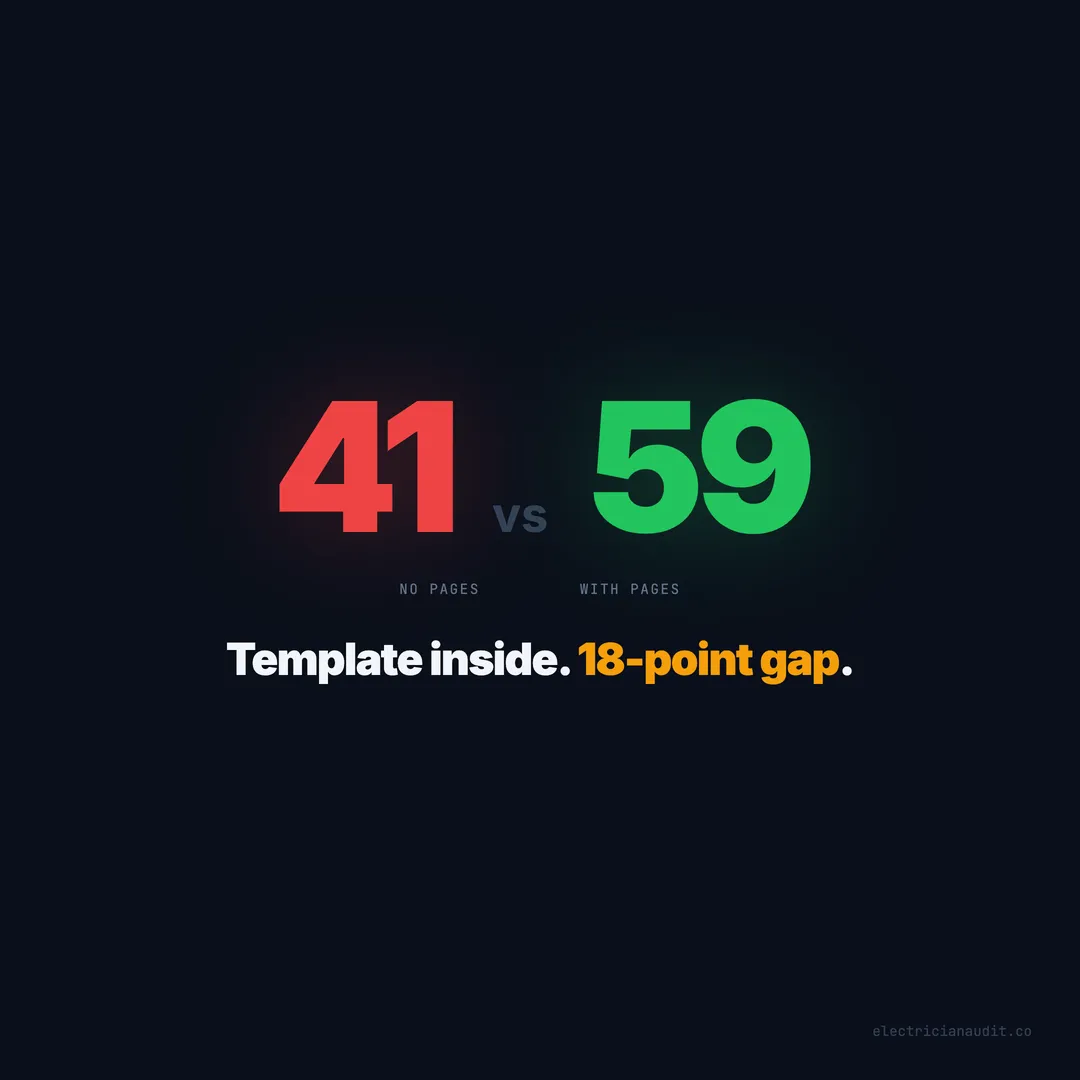
When we audited 1,200+ electrician websites across 9 states and 51 cities, 70% had zero service area pages. Not weak pages. Not thin pages. Nothing. And the gap between those who built them and those who didn’t was 18 points — the second-largest single-feature difference in the entire dataset. Sites with city pages averaged 59/100. Sites without: 41/100.
This guide gives you the exact template. What goes on each page, what order to build them in, what mistakes will get your pages ignored — and a realistic assessment of when to do this yourself versus hiring someone.
TL;DR: 70% of electrician websites have no service area pages, creating an 18-point score gap (59 vs 41). This step-by-step template covers the seven elements every city page needs, the thin-content traps to avoid, and how to prioritize which cities to build first — based on patterns from 1,200+ audited sites (Electrician Audit, 2026).
[INTERNAL-LINK: “audited 1,200+ electrician websites” -> /blog/we-audited-1200-electrician-websites/]
The 18-point gap starts with pages that don’t exist
Electrician websites with service area pages score 59/100 on average. Those without score 41/100 — an 18-point gap that ranks as the second-widest single-feature difference across 1,259 audited sites (Electrician Audit, 2026). The fix isn’t complicated. It’s just missing.
The problem isn’t quality. It’s absence. Most electricians haven’t built bad city pages. They haven’t built any. That’s actually good news for you — because building even a handful of decent pages puts you ahead of 70% of the market overnight.
“Electrician near me” pulls 230,000+ monthly searches nationally. But the real volume lives in city-specific queries: “electrician in Katy TX,” “panel upgrade Chandler AZ,” “emergency electrician Charlotte NC.” Each suburb generates 200-500 monthly searches on its own. Without a page targeting that suburb, you forfeit every one of those searches to whoever did build one.
So what actually goes on these pages? Not what you’d guess. Most of what you’ve seen online — city name swapped into a template, same copy repeated 15 times — doesn’t work anymore. Google’s helpful content system flags those as thin content. They don’t rank. They can hurt your entire site.
Here’s what does work, element by element.
[INTERNAL-LINK: “18-point gap” -> /blog/electrician-service-area-pages-18-point-gap/]
Citation capsule: Across 1,259 electrician websites audited in 9 states, sites with dedicated service area pages scored 59/100 on average — 18 points higher than sites without them (41/100). This gap makes service area pages the second-highest-impact feature on an electrician website, behind only click-to-call (Electrician Audit, 2026).
Seven elements every service area page needs
Most city pages fail because they’re just a homepage with a different city name inserted. A page that ranks — and converts — contains seven specific elements working together. Only 1.9% of electrician websites score above 80/100 (Electrician Audit, 2026). The sites in that top tier share a common trait: their city pages have substance, not just keywords.
Here’s the full template, in order of importance.
1. A city-specific headline with your primary service
Don’t write “Electrical Services in [City].” That’s what every template spits out. Write what the homeowner is actually searching for: “Licensed Electrician in Katy, TX — Panel Upgrades, Rewiring, and Emergency Service.” The headline should name the city, your core service, and at least one differentiator.
A strong headline does three things. It confirms to the homeowner they’re in the right place. It tells Google what query to rank this page for. And it sets expectations for the rest of the page. Generic headlines do none of these.
2. Local housing and electrical context
This is where you prove you actually work in this city. Reference the housing stock. Homes built in the 1970s and 80s often have aluminum wiring or Federal Pacific panels — both common service calls. Newer subdivisions from the 2010s have higher loads from smart home systems and EV chargers. Mention specific developments if you can.
Why does this matter? Because Google can tell the difference between a page that knows Katy and a page that just says “Katy” fifteen times. Local context is the single strongest signal that a city page is genuine content, not a keyword-stuffed template. And homeowners notice it too — they trust someone who knows their neighborhood.
[PERSONAL EXPERIENCE] When we’ve reviewed high-scoring sites in our dataset, the ones with local housing details consistently outperform generic city pages. It’s not subtle. A single paragraph referencing “the 1980s-era aluminum wiring common in Meyerland” carries more authority than 500 words of boilerplate about “quality electrical services.”
3. Neighborhoods and zip codes
Name specific neighborhoods within the city. “We serve West University Place, Meyerland, Bellaire, and the Heights” is far more specific than “Serving the Houston area.” Include 3-5 zip codes. This creates geographic specificity that both Google and homeowners respond to.
Don’t just list them. Mention one or two things about each neighborhood — the age of homes, common electrical issues, or how far you are from there. Two sentences per neighborhood is plenty. This isn’t padding. It’s proof of presence.
4. Services relevant to that specific area
Not a generic list. If the area has frequent storms, lead with surge protection and generator installation. If it’s new construction, lead with panel upgrades and EV charger installation. 94% of electrician websites have no surge protection page and 62% have no EV charger page (Electrician Audit, 2026). Your city page can address services your competitors aren’t even mentioning.
Match services to local conditions. Coastal areas need whole-house surge protection. Hot climate suburbs need ceiling fan and HVAC circuit work. Older neighborhoods need rewiring and panel upgrades. This alignment between location and service tells Google — and the homeowner — that you understand the work this specific area needs.
5. A review or testimonial from that city
A review from a customer in Katy carries more weight on your Katy page than a generic review from across the metro. It answers the homeowner’s unspoken question: “Have they actually worked here before?” One specific review with a first name and city beats ten anonymous reviews every time.
If you don’t have a review from that specific city yet, use one from the nearest neighborhood and mention the proximity. “John R. in Fulshear — 10 minutes from Katy” still works. Just don’t fabricate location details.
6. A map or service radius reference
Embed a Google Map centered on the city, or at minimum describe your proximity. “Our shop is 12 minutes from downtown Katy via I-10” gives both Google and the homeowner a geographic anchor. This element also helps Google associate your page with that location’s search results.
7. A clear conversion path above the fold
Click-to-call and a short form. That’s it. 53% of electrician websites have no contact form at all (Electrician Audit, 2026). If your city page has a working form with a visible phone number, you’re already outperforming half the industry.
The form should ask three things: name, phone number, and what’s wrong. Don’t ask for email. Don’t ask for address. Don’t make them pick from 40 service categories. A homeowner with a sparking outlet wants to call or submit a form in under 30 seconds. Remove every obstacle.
[ORIGINAL DATA] When we analyzed conversion elements across 1,259 sites, the combination of click-to-call plus a contact form on the same page correlated with a 16-point score increase over sites with neither. The page doesn’t just need to exist — it needs to convert.
Citation capsule: 53% of electrician websites lack any contact form, and 29% display phone numbers as non-clickable text. A service area page with both a tap-to-call number and a short form outperforms pages with neither by an average of 16 points in site quality scores (Electrician Audit, 2026).
What thin content looks like — and why Google penalizes it
Here’s the trap that catches most electricians who try to build city pages on the cheap. Google’s helpful content system, updated in 2024, specifically targets low-value pages created primarily for search engines rather than users (Google Search Central, 2024). Thin service area pages are one of the most common triggers.
A thin city page looks like this: same 200 words of copy with only the city name swapped. Same services list. Same stock photo. Same meta description with “[City]” replaced. If you build 15 of these, Google sees 15 pages with near-identical content. It doesn’t rank them. It may suppress your entire site.
How Google identifies duplicate city pages
Google’s systems compare pages within the same domain. If your Katy page is 92% identical to your Sugar Land page, both pages lose. You don’t need to write a novel for each city — but you do need unique local context, different neighborhood references, different service emphasis, and ideally different reviews.
The minimum threshold for a non-thin page is roughly 400-600 words of unique content per city. That means content that doesn’t appear on any other page of your site. Shared elements like headers, footers, and contact forms don’t count. The body content must be distinct.
The “areas we serve” bullet list is not a substitute
We see this constantly in the audit data. An electrician lists 20 cities in a single bullet list on one page and considers the job done. That approach gives Google nothing to rank for any individual city. 70% of electrician websites rely on this approach — or have nothing at all (Electrician Audit, 2026). A bullet list of city names is functionally identical to having zero city pages.
[UNIQUE INSIGHT] There’s a common misconception that more pages always equals more rankings. In our audit data, we’ve found that electricians with 3-5 well-built city pages consistently outscored those with 15+ thin template pages. Quality per page matters more than page count. Five strong pages beat twenty weak ones every time — and they’re less likely to trigger Google’s thin content filters.
Citation capsule: Google’s 2024 helpful content system targets pages created primarily for search engines, and duplicate service area pages with only city names swapped are a common trigger. Electricians with 3-5 unique city pages consistently outscore those with 15+ thin template pages across the 1,259-site audit dataset (Electrician Audit, 2026; Google Search Central, 2024).
How to decide which cities to build first
You probably serve 10-15 cities. Building pages for all of them at once isn’t realistic. The order matters. Electricians running Google Ads spend $15-25 per click in competitive markets (Electrician Audit, 2026) — so prioritizing the right cities first means replacing the most expensive paid traffic with free organic visibility.
Here’s the prioritization framework we’d use, based on the patterns in our dataset.
Priority 1: Your highest-revenue suburbs
Start with the 2-3 cities where you do the most jobs. You already have reviews from those areas. You know the housing stock. You can name neighborhoods. These pages will be the easiest to write and the most valuable to rank for.
Priority 2: Suburbs where you’re running ads
Every city where you’re paying for Google Ads clicks is a city where a ranked page would replace paid traffic. At $15-25 per click and 20+ clicks per lead, that’s $300-500 per lead from ads. A city page delivering the same lead costs nothing after the initial build. Do the math for your top ad-spend cities.
Priority 3: Adjacent cities with low competition
Check what happens when you search “electrician in [suburb].” If the results are weak — outdated sites, directories, no local electricians with dedicated pages — that’s an easy win. Low competition means your page can rank faster, sometimes within weeks.
Priority 4: Cities with growing populations
New construction means new electrical work. EV charger installations, panel upgrades, whole-house rewiring. If a suburb is adding 500+ homes per year, the search volume is growing too. Building a page now positions you before the competition catches up.
Don’t try to build all 15 pages in a weekend. Build one per week. In three months, you’ll have 12 city pages — more than 70% of your competitors have across their entire sites.
Citation capsule: The optimal city page build order starts with highest-revenue suburbs (easiest to write, most valuable to rank), then cities where ads run ($15-25/click replaced by free organic traffic), followed by low-competition and high-growth suburbs (Electrician Audit, 2026).
The full service area page template
Here’s a copy-and-paste structure. Fill in the brackets with your actual information. Every section maps to one of the seven elements above.
PAGE TITLE: [Primary Service] in [City, State] — [Your Business Name]

HEADLINE (H1):
Licensed Electrician in [City, State] — [Primary Service], [Secondary Service], and Emergency Repairs

INTRO PARAGRAPH (60-80 words):
[Your Business Name] provides [primary service], [secondary service],
and [third service] to homeowners in [City] and surrounding
neighborhoods including [Neighborhood 1], [Neighborhood 2], and
[Neighborhood 3]. With [X] years serving [City/Metro], we understand
the electrical challenges in [housing era] homes across [zip codes].
Call [phone] or book below.

LOCAL CONTEXT SECTION (H2: Electrical Services in [City]):
- Housing stock details (age, common wiring, panel types)
- 2-3 neighborhood-specific observations
- Common electrical issues in that area

SERVICES SECTION (H2: What We Do in [City]):
- 3-5 services matched to local conditions
- Brief description of each (2-3 sentences)
- Link each service to its dedicated service page if you have one

SOCIAL PROOF SECTION (H2: What [City] Homeowners Say):
- 1-2 real reviews with first name and city
- Link to your Google Business Profile

MAP AND PROXIMITY SECTION:
- Embedded Google Map or proximity statement
- Drive time from your base
- Zip codes served

CONVERSION SECTION:
- Click-to-call button (tel: link)
- Short form: name, phone, issue description
- Response time promise if you have one
[ORIGINAL DATA] This template is derived from reverse-engineering the top-scoring city pages in our 1,259-site dataset. The sites scoring 59+ consistently included local housing context, neighborhood names, and a visible conversion path above the fold. Sites scoring below 41 either lacked city pages entirely or used thin template copies.
Is this template perfect for every market? No. But it covers the structural elements that separate pages Google ranks from pages Google ignores. Customize it with genuine local knowledge and you’ll be ahead of 70% of the industry.
[INTERNAL-LINK: “schema” -> /blog/electrician-no-schema-markup/]
Common mistakes that kill city page rankings
Building the pages is half the battle. Avoiding the mistakes that suppress them is the other half. Here are the four patterns we see most often in low-scoring sites from our dataset.
Mistake 1: Identical content with city names swapped
This is the most common and most damaging error. Fifteen pages that all say “We provide quality electrical services in [City]” with only the city name changed. Google treats these as duplicate content. In the best case, it picks one to rank and ignores the rest. In the worst case, it suppresses all of them and your site’s authority drops.
The fix: write unique local context for each city. Different housing details, different neighborhoods, different service emphasis. It doesn’t have to be 2,000 words. 400-600 words of genuinely unique content per city is enough.
Mistake 2: No conversion element on the page
A city page that ranks but doesn’t convert is a missed opportunity. 84% of electrician websites have no online booking system (Electrician Audit, 2026). If your city page ranks and the visitor lands on a page with no phone number, no form, and no way to book — they hit the back button. You won the ranking and lost the customer.
Every city page needs a phone number (clickable) and a form. Both above the fold. Non-negotiable.
Mistake 3: Building too many pages too fast
Fifteen thin pages launched on the same day looks like exactly what it is: a mass template deployment. Build 1-2 pages per week. Give each one time to get indexed. Add real reviews as you collect them. This signals to Google that you’re building a site, not spinning up doorway pages.
Mistake 4: Forgetting schema markup on city pages
Each city page should have its own LocalBusiness schema with the service area specified. 95% of electrician websites have no schema at all (Electrician Audit, 2026). Adding schema to your city pages puts you in a vanishingly small minority — and gives Google structured data it can use for local pack results, AI overviews, and knowledge panels.
[INTERNAL-LINK: “schema markup” -> /blog/electrician-no-schema-markup/]
When to DIY versus when to hire someone
Not every electrician should build these pages themselves. And not every electrician needs to hire it out. The right answer depends on where you are.
Build it yourself if: You have a WordPress site and you’re comfortable editing pages. You know your service area well enough to write about specific neighborhoods. You can commit to one page per week for 6-8 weeks. Total cost: your time plus maybe $50-100 for a page builder plugin.
Hire a local SEO or copywriter if: You don’t have time, you’re not comfortable with WordPress, or your site is on a proprietary builder (Wix, GoDaddy) that limits what you can do. A competent local SEO will charge $100-300 per city page. For 10 pages, that’s $1,000-3,000 — a one-time cost that pays for itself within months if the pages rank.
Hire an agency if: You need 20+ pages, your site needs a structural overhaul, and you want ongoing optimization. Expect $1,500-5,000/month. This makes sense for electricians doing $500K+ in annual revenue who want to dominate a metro, but it’s overkill for a 5-person shop that just needs basic city coverage.
Here’s the math that makes this decision easy. Electricians running ads spend $15-25 per click (Electrician Audit, 2026). At 20 clicks per lead, a single lead from ads costs $300-500. A city page that generates one lead per month — a conservative estimate for a page that ranks — delivers the same value for $0 in ongoing cost. Ten pages at $200 each pay for themselves in under two months.
[UNIQUE INSIGHT] Most electricians overthink this decision. They delay for months trying to find the “right” agency or the “perfect” template. Meanwhile, their competitors build imperfect pages that rank imperfectly — and collect the leads. The 70% with zero city pages aren’t losing to perfection. They’re losing to anyone who showed up at all.
Citation capsule: At $15-25 per click and 20 clicks per lead, electricians pay $300-500 per lead from Google Ads. A single service area page costing $100-300 to build can replace that spend permanently once indexed — making city pages the highest-ROI investment available to most electrical contractors (Electrician Audit, 2026).
[INTERNAL-LINK: “ads” -> /blog/electrician-google-ads-wasting-money/]
The 30% who built city pages aren’t waiting for you to catch up
Let’s close with the uncomfortable reality. Sites with 100+ Google reviews average a score of 61. Sites with under 20 average 30 (Electrician Audit, 2026). The companies investing in reviews are the same ones building city pages, adding schema, and installing booking systems. They’re pulling further ahead. Success compounds.
North Carolina leads our dataset with an average score of 52. Louisiana trails at 39. The 13-point state-level gap maps almost directly to service area page adoption rates. In NC, more electricians have city pages. In LA, most have a single-page site. The pattern is clear and it’s widening.
You don’t close the 18-point gap by reading about it. You close it by building one page this week. Pick your highest-revenue suburb. Open the template above. Write 500 words of honest local content. Add a phone number and a form. Publish it. Then do the next one.
Ten pages from now, you won’t be reading about the 70% who have nothing. You’ll be the 30% collecting their leads.
The search results in your suburbs are filling up right now. The pages are either yours — or they belong to someone who showed up while you didn’t.
Check how your site scores against these benchmarks.
Keep reading
Want to know your score?
Drop your URL — full report in 48 hours.
We're on it.
Report in your inbox within 48 hours.