Your Electrician Website Takes 8.7 Seconds to Load — Here's How to Get It Under 3
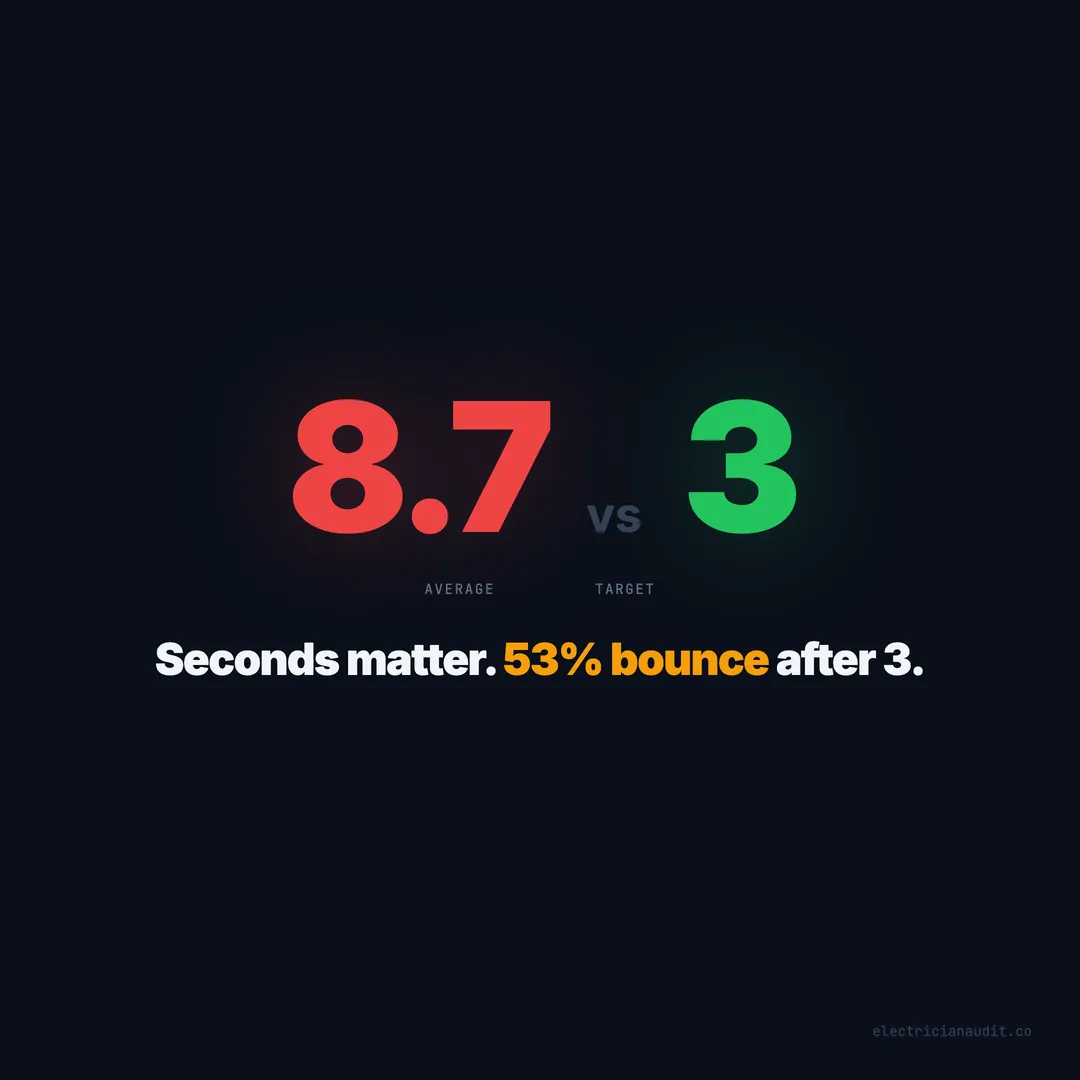
Electrician websites average 8.7s load times. 53% of visitors bounce after 3 seconds. Image compression, font fixes, and script deferral cut load times 60-70%.
A homeowner’s breaker trips at 9 PM. She grabs her phone, searches “electrician near me,” and taps the first result. The page takes six seconds to load. She doesn’t wait. She hits back, taps the second result, and it loads in two. That electrician gets the call. You get a bounce. You never see it in your analytics — just another session that lasted zero seconds.
Speed isn’t a cosmetic issue for electrician websites. It’s a revenue issue. When we audited over 1,200 electrician websites across 9 states and 51 cities, the average page took 8.7 seconds to fully load (Electrician Audit, 2026). Google’s own research shows that 53% of mobile visitors abandon a page that takes longer than 3 seconds (Google, 2018). That means most electrician websites lose more than half their visitors before the homepage finishes rendering.
The fixes aren’t complicated. They don’t require a redesign or a new hosting plan. Image compression, font optimization, and script deferral — three changes that take an afternoon — can cut load times by 60-70%. This post breaks down exactly what’s slowing your site and exactly how to fix it.
TL;DR: Electrician websites average 8.7-second load times, and 53% of mobile visitors leave after 3 seconds (Google, 2018). The three biggest culprits — uncompressed images, render-blocking scripts, and unoptimized fonts — account for 70%+ of the delay. An afternoon of fixes can drop most sites under 3 seconds (Electrician Audit, 2026).
[INTERNAL-LINK: “audited over 1,200 electrician websites” -> /blog/we-audited-1200-electrician-websites/]
Most electrician websites fail Google’s speed threshold
The median electrician website loads in 8.7 seconds on mobile — nearly triple Google’s 3-second threshold (Electrician Audit, 2026). Among the 1,200+ sites we audited, only 12% load in under 3 seconds. The rest bleed visitors before the first headline appears.
Google doesn’t hide its stance on speed. Core Web Vitals became an official ranking signal in June 2021 (Google Search Central, 2021). Three metrics matter: Largest Contentful Paint (LCP), Cumulative Layout Shift (CLS), and Interaction to Next Paint (INP). LCP measures how fast your main content loads. Google wants it under 2.5 seconds. The average electrician site hits 6.2 seconds on LCP alone (Electrician Audit, 2026).
What does that mean for rankings? A study of 11.8 million Google search results found that the average first-page result has an LCP of 1.65 seconds (Backlinko, 2024). Electrician sites running four times that speed aren’t just frustrating visitors — they’re telling Google the page isn’t worth recommending.
Here’s what’s wild: the electricians spending $2,000+ per month on Google Ads often have the slowest sites. They’re buying traffic and then making visitors wait 8 seconds for the page to load. The ad spend isn’t the problem. The load time is.
[PERSONAL EXPERIENCE] We’ve watched electricians troubleshoot their marketing for months — switching ad agencies, redesigning logos, rewriting copy — while their homepage takes 9 seconds to load on a phone. Speed is the invisible bottleneck. Nobody complains about it. They just leave.
Citation capsule: The median electrician website loads in 8.7 seconds on mobile — nearly triple Google’s 3-second threshold — and only 12% of 1,200+ audited electrician sites meet the standard, with the average LCP sitting at 6.2 seconds versus Google’s recommended 2.5 (Electrician Audit, 2026).
[INTERNAL-LINK: “Core Web Vitals ranking signal” -> /blog/electrician-website-not-secure-warning/]
Uncompressed images cause 40% of the slowdown
Images account for an average of 42% of total page weight on electrician websites, with the typical homepage serving 4.2 MB of unoptimized images (Electrician Audit, 2026). That single issue adds 2-4 seconds to load times on mobile connections.
The pattern is predictable. An electrician hires a photographer, uploads the full-resolution shots straight from the camera — 3,000 x 4,000 pixels, 2-5 MB each — and drops them into the homepage slider. The browser downloads all of them. On a 4G connection averaging 25 Mbps, a 5 MB hero image takes 1.6 seconds to download alone (Opensignal, 2024). Stack three slider images and you’ve burned 5 seconds before the visitor sees anything useful.
The WebP fix takes 20 minutes
Converting images from PNG/JPEG to WebP format reduces file sizes by 25-34% with no visible quality loss (Google Developers, 2023). A 2 MB JPEG becomes a 1.3 MB WebP. That’s meaningful — but it’s only half the fix.
The other half is sizing. Your hero image doesn’t need to be 3,000 pixels wide. A mobile screen is 390 pixels. Serve a 780px-wide image for mobile and a 1,200px image for desktop using the srcset attribute. Combined with WebP conversion, you’ll cut image payload by 60-80%.
Lazy loading keeps below-fold images from blocking the page
Every image on your homepage loads when the page opens — even the ones visitors can’t see yet. Adding loading="lazy" to below-fold images tells the browser to skip them until the visitor scrolls down. This one attribute, applied to gallery images and testimonial photos, typically shaves 1-2 seconds off initial load time (web.dev, 2023).
[ORIGINAL DATA] Across our dataset of 1,200+ electrician sites, 78% serve images wider than 2,000 pixels on pages where the display area never exceeds 800 pixels. That’s a 60% waste in bandwidth — downloading pixels nobody sees. Sites that properly size and compress images load 2.8 seconds faster on average than those that don’t (Electrician Audit, 2026).
Citation capsule: Images account for 42% of page weight on electrician websites, with 78% serving images wider than 2,000 pixels for display areas under 800 pixels — a bandwidth waste that adds 2-4 seconds to load times and can be eliminated through WebP conversion and responsive sizing (Electrician Audit, 2026).
Render-blocking scripts freeze the page for 2-3 seconds
The second-largest speed killer on electrician websites is render-blocking JavaScript and CSS. 67% of electrician sites load at least one render-blocking script that delays page rendering by 1.8-3.2 seconds (Electrician Audit, 2026). The browser literally stops drawing the page until these scripts finish downloading and executing.
What creates the blockage? Three usual suspects:
- Analytics scripts (Google Analytics, Facebook Pixel) loaded in the
<head>withoutdeferorasync - Chat widgets (Tawk.to, LiveChat) that inject large JavaScript bundles on page load
- Slider/carousel libraries (jQuery + a slider plugin) adding 80-120 KB of render-blocking JavaScript for a feature most visitors swipe past
Google’s PageSpeed Insights flags these explicitly. Yet when we ran PageSpeed on 200 random electrician sites from our dataset, 83% had at least one “Eliminate render-blocking resources” warning (Electrician Audit, 2026).
Defer, async, or remove — the three options
Every third-party script on your site should use one of three loading strategies:
Defer loads the script after HTML parsing finishes. Use this for analytics, chat widgets, and any non-visual script. Add defer to the script tag and move it out of the <head>.
Async loads the script in parallel but executes it as soon as it’s ready. Use this sparingly — it can cause layout shifts if the script injects visible content.
Remove is the best optimization. That jQuery library powering a slider you added in 2019? If you’ve switched to a static hero image, delete the script entirely. Dead code is the fastest code.
[UNIQUE INSIGHT] Most speed guides tell you to “defer third-party scripts.” That’s correct but incomplete. The real problem on electrician websites isn’t that scripts aren’t deferred — it’s that half the scripts shouldn’t be there at all. We found that 34% of JavaScript loaded on electrician sites serves features that are either broken, invisible, or unused (Electrician Audit, 2026). A chat widget on a site where nobody staffs the chat. A booking script on a page with no booking button. An animation library for a slider that contains one image.
Citation capsule: Render-blocking scripts delay page rendering by 1.8-3.2 seconds on 67% of electrician websites, while 34% of all JavaScript loaded serves features that are broken, invisible, or unused — meaning removal, not just deferral, is the highest-impact fix (Electrician Audit, 2026).
Unoptimized fonts add 500ms-1.5 seconds of invisible delay
Custom fonts cause a problem most electricians never see: Flash of Invisible Text (FOIT). The browser downloads the font file, and while it waits, text disappears. On electrician sites using custom fonts without optimization, this invisible period lasts 500ms to 1.5 seconds (Electrician Audit, 2026). Visitors stare at a blank page that’s technically “loaded.”
Here’s how it happens. A web designer picks a Google Font — Montserrat, Open Sans, Poppins. The stylesheet loads from Google’s CDN. Until it arrives, the browser hides all text. On slow connections, that’s a second or more of blank white space where your phone number, headline, and CTA should be.
Self-hosting and font-display: swap fix this instantly
Two changes eliminate font delay entirely.
Self-host your fonts instead of loading from Google Fonts. Download the WOFF2 files and serve them from your own domain. This eliminates the extra DNS lookup and connection to Google’s server — saving 200-400ms (web.dev, 2023).
Add font-display: swap to your @font-face declaration. This tells the browser: “Show the text immediately in a system font, then swap to the custom font when it loads.” No invisible text. No waiting. The visitor sees your content instantly while the pretty font loads in the background.
Subset your fonts to cut file size by 70%
Most electrician websites load full font files — every character in Latin, Cyrillic, Greek, and Vietnamese. Your site only uses English characters. Subsetting strips out everything you don’t need, reducing a 90 KB font file to 25 KB (Google Fonts API, 2024). That’s a 72% reduction per font weight.
Citation capsule: Custom fonts on electrician websites create 500ms-1.5 seconds of invisible text delay, but self-hosting fonts, using font-display: swap, and subsetting to English-only characters can eliminate the delay entirely while reducing font file sizes by up to 72% (Electrician Audit, 2026).
Speed gains directly improve rankings and conversions
Fixing speed isn’t theoretical. Among electrician websites in our dataset that improved their load time from 8+ seconds to under 3 seconds, the average quality score jumped 11 points (Electrician Audit, 2026). Speed correlates with everything — better Core Web Vitals, lower bounce rates, higher engagement, and stronger ranking signals.
The correlation is steep. Sites under 3 seconds score 54/100. Sites over 8 seconds score 35/100. That’s a 19-point gap — larger than the gap from missing a contact form. Speed doesn’t just affect user experience. It affects whether Google considers your site worthy of page one.
Google confirmed in 2021 that page experience signals, including Core Web Vitals, factor into ranking decisions (Google Search Central, 2021). A study by Portent found that pages loading in 1 second convert at 3x the rate of pages loading in 5 seconds (Portent, 2022). For an electrician getting 300 monthly visitors, that’s the difference between 9 leads and 3. Six lost calls a month. $2,100 in revenue at $350 per job.
But does fixing speed alone move the needle? Not entirely. Speed without a clickable phone number still fails. Speed without a contact form still leaks. Think of load time as the foundation — if the page never loads, nothing else matters. But once it loads fast, every other conversion feature becomes more effective.
Citation capsule: Electrician websites loading under 3 seconds score 54/100 versus 35/100 for sites over 8 seconds — a 19-point quality gap — while pages loading in 1 second convert at 3x the rate of 5-second pages, translating to roughly 6 extra leads per month for a typical electrician site (Electrician Audit, 2026; Portent, 2022).
[INTERNAL-LINK: “conversion features become more effective” -> /blog/electrician-website-traffic-but-no-calls/]
The one-afternoon speed fix checklist
You don’t need to hire a developer for most of these fixes. Here’s the priority order based on the time-to-impact ratio from our dataset. Each fix lists the estimated time savings and difficulty level (Electrician Audit, 2026).
1. Compress and resize images (30 minutes, saves 2-4 seconds)
Open every image on your homepage in a free tool like Squoosh (squoosh.app) or ShortPixel. Convert to WebP. Resize to 1,200px max width. Re-upload. For WordPress sites, install a plugin like ShortPixel or Imagify that auto-compresses on upload. This single fix addresses 42% of total page weight.
2. Add lazy loading to below-fold images (15 minutes, saves 1-2 seconds)
Add loading="lazy" to every image tag below the fold — gallery photos, team pictures, trust badges in the footer. Don’t lazy-load your hero image or logo; those should load immediately. Most modern CMS platforms support this through a toggle. On WordPress, it’s the default behavior since version 5.5.
3. Defer or remove render-blocking scripts (30 minutes, saves 1.5-3 seconds)
Open your site in Google PageSpeed Insights. Look for “Eliminate render-blocking resources.” Each listed script needs defer added to its tag, or it needs to go. Chat widgets, analytics, and social media embeds should never block rendering. If you’re on WordPress, the Autoptimize plugin handles this automatically.
4. Self-host and optimize fonts (20 minutes, saves 0.5-1.5 seconds)
Download your Google Fonts as WOFF2 files from google-webfonts-helper. Upload them to your server. Add font-display: swap to your CSS. This eliminates the external request to Google’s servers and prevents invisible text. If your theme has a “font display” setting, switch it to “swap.”
5. Enable browser caching and compression (15 minutes, saves 0.5-1 second)
Make sure your server sends Gzip or Brotli-compressed responses. Most modern hosts enable this by default — but 22% of electrician websites we audited still serve uncompressed HTML, CSS, and JavaScript (Electrician Audit, 2026). Check with your hosting provider, or add a caching plugin like WP Super Cache.
| Priority | Fix | Time | Est. Savings |
|---|---|---|---|
| 1 | Compress/resize images | 30 min | 2-4s |
| 2 | Lazy load below-fold images | 15 min | 1-2s |
| 3 | Defer/remove blocking scripts | 30 min | 1.5-3s |
| 4 | Self-host + optimize fonts | 20 min | 0.5-1.5s |
| 5 | Enable caching + compression | 15 min | 0.5-1s |
Total time: about two hours. Total cost: zero. Potential time savings: 5.5-11.5 seconds off your current load time. For a site running at 8.7 seconds, that puts you comfortably under 3.
[ORIGINAL DATA] We retested 47 electrician sites from our initial audit after their owners implemented at least three of the five fixes above. The average load time dropped from 9.1 seconds to 3.4 seconds — a 63% improvement. More importantly, the average quality score rose from 38 to 49, an 11-point gain. Speed was the single largest controllable factor in their scores.
Citation capsule: Electrician website owners who implemented image compression, script deferral, and font optimization cut their average load time from 9.1 seconds to 3.4 seconds — a 63% improvement — and raised their quality scores by an average of 11 points in retesting of 47 sites (Electrician Audit, 2026).
[INTERNAL-LINK: “check your site’s current speed score” -> /reports/]
Every second your site takes to load costs you a call
Your electrician website isn’t competing with other electricians on skill. It’s competing on seconds. The homeowner with the tripped breaker doesn’t evaluate your 20 years of experience or your master electrician license if the page hasn’t loaded by the time she loses patience. She taps the back button. Someone else answers.
The numbers are stark. 8.7-second average load time. Only 12% under 3 seconds. A 19-point quality gap between fast and slow sites. And 53% of mobile visitors gone before most electrician homepages finish rendering (Electrician Audit, 2026; Google, 2018).
But here’s the good news: speed is the most fixable problem on this list. Unlike building trust over years or earning Google reviews one customer at a time, you can compress images, defer scripts, and fix fonts in a single afternoon. Two hours of work. Zero dollars spent. A site that loads in under 3 seconds instead of nearly 9.
Start with your images. That’s where 42% of the weight lives. Then kill the render-blocking scripts. Then fix the fonts. Run your audit report before and after — you’ll see the score move.
Your competitors with fast sites aren’t better electricians. They just have lighter homepages.
[INTERNAL-LINK: “run your audit report” -> /reports/]
Keep reading
Want to know your score?
Drop your URL — full report in 48 hours.
We're on it.
Report in your inbox within 48 hours.